Lion Procreate Stamp Brush Set: A Practical Guide for Consistent Kawaii Art
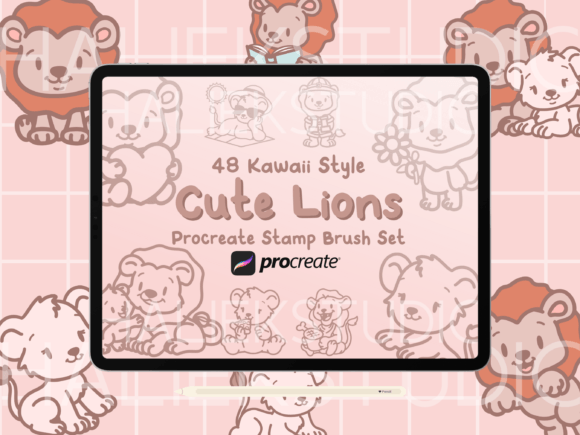
Creating consistent, high-quality illustrations can be one of the most time-consuming aspects of digital art. Whether you are designing a logo, planning a print run for apparel, or simply decorating a digital planner, the need for repeatable elements is constant. This is where the Lion Procreate Stamp Brush Set becomes an invaluable tool for artists and creators. Instead of redrawing the same character dozens of times to ensure uniformity, this collection offers 48 pre-made, hand-drawn stamps of cute, kawaii-style lions engaging in various activities. These brushes allow you to place a perfectly rendered image instantly, ensuring that every lion on your design sheet looks exactly the same.
However, purchasing digital assets like stamp brushes often comes with a set of assumptions that can lead to frustration if not managed correctly. Many users expect these tools to behave like traditional drawing brushes, only to find their workflow disrupted by unexpected behaviors. Understanding exactly what this tool does—and more importantly, what it does not do—is the key to getting the best results from your investment.
Understanding the Non-Pressure Sensitive Nature of Stamp Brushes
One of the most common misunderstandings regarding the Lion Procreate Stamp Brush Set involves pressure sensitivity. Traditional Procreate brushes respond to the force of your Apple Pencil, creating lines that vary in thickness and opacity based on how hard you press. Stamp brushes operate differently. They are designed to be non-pressure sensitive. This means the size, opacity, and shape of the lion illustration remain constant regardless of the pressure applied to the screen.
This distinction is critical for avoiding wasted time and effort. If you attempt to use these brushes expecting to shade the lion's mane or darken its outline by pressing harder, you will be disappointed. The result will always be a flat, solid stamp. While this might seem like a limitation, it is actually a feature designed for consistency. For pattern design, signage, or merchandise mockups, you want the exact same graphic repeated without variation. Trying to force a stamp brush to act like a sketching tool disrupts the workflow and ruins the intended aesthetic of the kawaii style.
To work effectively with this set, adjust your technique. Use the slider controls within Procreate to manually adjust the size of the stamp before placing it, rather than relying on pressure. This ensures that when you need a small lion for a greeting card corner and a large lion for a t-shirt center, both maintain the crisp, clean edges of the original illustration.
The Compatibility Reality: Procreate Only
Another frequent oversight occurs during the purchase phase. The Lion Procreate Stamp Brush Set is explicitly compatible only with the Procreate application on iPad. It is not a universal file format that can be imported into Photoshop, Clip Studio Paint, or other tablet apps. Users who own Android tablets or desktop computers often assume that "digital brushes" are cross-platform, leading to immediate confusion upon download.
Before making a decision to buy, verify your software environment. If you do not have an iPad running Procreate, this file will be unusable. Attempting to convert these files for other software is not only technically difficult but often results in broken layers or lost resolution. The efficiency of this product relies entirely on the native integration with Procreate's engine. Ensuring you have the correct hardware and software beforehand prevents the frustration of purchasing an asset you cannot open.
Maximizing Utility Across Different Projects
Once you have navigated the technical requirements, the real value of the Lion Procreate Stamp Brush Set lies in its versatility. The collection includes 48 unique images of lions in chibi or kawaii styles doing various things. This variety allows for dynamic compositions without the need for complex drawing skills. However, there is a tendency among beginners to overuse these stamps, resulting in designs that feel cluttered or repetitive.
A better approach is to treat these stamps as modular components. For example, if you are creating a pattern for fabric or wallpaper, mix different lions from the set to create visual interest. Combine a lion holding a flower with one wearing a hat, rather than repeating the same pose endlessly. When designing apparel, such as a cute Lion shirt or sweatshirt, consider using a single large stamp as the focal point and smaller variations as accents around the hem or sleeve. This creates a balanced composition that feels intentional rather than random.
Digital planners also benefit significantly from this approach. Instead of filling every margin with identical doodles, use the stamps to create functional stickers. You might use a specific lion to mark completed tasks or another to highlight important dates. Because the images are hand-drawn illustrations, they add a personal, warm touch to productivity tools that generic clipart often lacks.
Quality Control and Licensing Considerations
When evaluating any digital asset, the end-use is paramount. The Lion Procreate Stamp Brush Set is ideal for logos, print, signage, greeting cards, and patterns. However, creators must be mindful of the licensing terms attached to these files. Most digital stamp sets come with restrictions against reselling or redistributing the digital files themselves. You are purchasing the right to use the images in your creations, not the right to sell the brush set to others.
Misunderstanding these terms can lead to account bans on marketplaces or legal issues. Always review the license agreement included with your purchase. If you plan to use these lions for commercial products like mugs or shirts, ensure the license permits commercial use. In most cases, it does, provided you are selling the physical product containing the art, not the digital file itself. Adhering to these guidelines protects your business reputation and ensures you remain compliant with intellectual property standards.
Practical Steps for Integration
To get the most out of this collection, follow a structured workflow. First, import the brush set into Procreate carefully, ensuring it loads without errors. Next, test each stamp on a blank canvas to understand its scale and orientation. Some lions may be facing left while others face right; knowing this helps you plan your layout before committing to a final design.
If you are working on a project requiring high-resolution output, such as large-scale signage, remember that the quality of the stamp depends on the resolution of your canvas. Ensure your document settings match the requirements of your final print medium. By combining the convenience of the Lion Procreate Stamp Brush Set with sound technical practices, you can streamline your creative process and produce professional-grade artwork with ease.